
Alt text is critical for making websites accessible and improving SEO. It describes images for screen readers, ensuring equal access for users with visual impairments, and helps search engines understand image content. Done properly, it enhances user experience, supports legal accessibility requirements (like Section 508 in the U.S.), and boosts image rankings in search results.
Key Takeaways:
- Focus on Context: Tailor descriptions to the image's purpose on the page.
- Be Concise: Keep alt text under 125 characters for clarity and compatibility with screen readers.
- Use Proper Grammar: Capitalize sentences and avoid spelling errors.
- Avoid Redundancy: Don't repeat nearby text or captions.
- Skip Decorative Images: Use
alt=""for purely decorative visuals. - Include Text from Images: Add essential text from infographics or charts.
- Balance Accessibility and SEO: Use keywords naturally, prioritizing clarity.
For websites with extensive image libraries, AI tools like AltReadable can automate alt text creation, saving time while maintaining quality. Use these best practices to create alt text that works for everyone, from screen reader users to search engines.
How to write good alt text - Making images accessible with alternative text
Basic Rules for Writing Alt Text
Alt text plays a crucial role in both accessibility and SEO. To make your descriptions effective, it's essential to pay attention to detail and consider your audience. Here are some key principles to keep in mind.
Focus on Context and Relevance
The core rule for writing alt text is to ensure it aligns with the image's purpose in your content. Your description should explain why the image is significant for someone reading that specific page or article. The same image can require different alt text depending on the context.
For instance, imagine a photo of a golden retriever playing in a park. On a pet adoption site, your alt text might say, "Golden retriever puppy available for adoption playing with a tennis ball." However, if the same image is used in an article about dog exercise routines, a more fitting description would be, "Golden retriever demonstrating healthy outdoor play activity." Tailor the details to provide meaningful context for the reader.
Keep It Short and Clear
Stick to 125 characters or fewer for your alt text. This limit is important because most screen readers cut off descriptions beyond this point, potentially leaving users with incomplete information. Shorter descriptions are also generally more focused and easier to understand.
Avoid starting with phrases like "image of", "picture of", or "photo showing." Screen readers already indicate that they are describing an image, so these phrases only add unnecessary repetition. For example, instead of writing, "Image of a woman typing on a laptop computer at a wooden desk", simply say, "Woman typing on laptop at wooden desk."
Clear and concise language ensures your alt text communicates effectively.
Use Proper Grammar and US Spelling
Alt text should meet the same grammar and spelling standards as the rest of your content. Begin your descriptions with a capital letter and end complete sentences with a period. This not only maintains professionalism but also improves the experience for screen reader users.
Using correct grammar can enhance the experience for screen reader users: Capitalize the first letter, End whole sentences with a period
Punctuation is especially important because it helps screen readers pause appropriately, making the text easier to follow.
Avoid using all capital letters in your alt text, as this can confuse screen readers and may be misinterpreted as an acronym. Stick to regular casing for better readability. Additionally, ensure your alt text is written in the same language as your main content. Section508.gov highlighted a common misstep in January 2025: "The alt text is in a different language than the onscreen text. For example, the content of the page is in Spanish, but the alt text for images is in English".
Check spelling and grammar. Mistakes make alt text harder to follow and less useful. Give it the same attention you'd give any other content
Alt text is an extension of your brand's voice. By proofreading and adhering to these guidelines, you ensure your content serves all users effectively while maintaining a professional standard.
7 Best Practices for Writing Alt Text
Building on the basics, these seven tips can help you craft alt text that's both functional and user-friendly.
Be Short and Specific
Alt text should get straight to the point, focusing on the image's main message. Think about what someone would need to know if they couldn't see the image at all. Instead of describing every detail, zero in on the most important aspects.
For instance, if you have a photo of a businessman giving a presentation, skip the overly detailed description like, "Man in dark blue suit with red tie standing next to white projector screen with black text and colorful charts while holding silver laptop computer." Instead, try something concise and relevant: "Businessman presenting quarterly sales data to a conference room audience."
A helpful way to approach this is to ask yourself: What would I say to someone over the phone to describe this image? You'd naturally focus on the essentials, not every minor detail.
Match the Image's Purpose
Alt text should align with the image's role in the content. A product photo on an e-commerce site, for example, will need a different description than the same image used in a blog post about fashion trends.
Take a red leather handbag as an example. On a shopping page, the alt text might read, "Red leather crossbody handbag with gold hardware and adjustable strap." In a blog post about bold accessory choices, the description could shift to "Red leather handbag showcasing bold color in fashion accessories."
For functional images, like a magnifying glass icon that opens a search tool, describe the function rather than the appearance. Simply writing "Search" is more useful than "Magnifying glass icon."
Avoid Repetition
Don't repeat information that's already in nearby text, captions, or headings. Screen reader users will hear both the surrounding content and the alt text, so redundancy can create a frustrating experience.
Focus on what the image uniquely adds to the content. For example, instead of writing "Photo of image showing picture of woman reading book", go with "Woman reading book by window." Keep it simple and specific.
Describe Important Visual Details
When describing an image, include key visual details that are necessary for understanding its purpose. Skip decorative elements or minor details that don't add value. For instance, if an image shows two people shaking hands in an office, you might say, "Two business professionals shaking hands in modern office."
In some cases, specific details are essential. For example, in educational content about dog breeds, you might need to highlight unique features: "Golden retriever with long, wavy coat and friendly expression." This kind of description provides context that enhances understanding.
Handle Decorative Images Correctly
For images that are purely decorative, use empty alt attributes (alt="") to signal screen readers to skip them. This prevents unnecessary interruptions for users.
Decorative images might include background patterns, abstract shapes, or design elements that don't add meaningful information. For example, a decorative border or a simple icon used for visual flair doesn't need a description.
Ask yourself: Would removing this image affect the user's understanding of the content? If the answer is no, use alt="". If you're unsure, a brief description is better than leaving users guessing.
Include Text from Images When Needed
If an image contains important text, make sure to include that in the alt text. This is especially relevant for infographics, charts, logos with text, or promotional graphics.
For instance, a company logo with both an icon and text might be described as "AltReadable logo." For an infographic or chart, you should summarize the key information it conveys, such as, "Bar chart comparing website accessibility scores across different industries."
However, if the image's text is already included elsewhere on the page, you don't need to repeat it in the alt text. Instead, focus on the image's visual context or presentation.
Balance SEO Keywords with Accessibility
It's okay to include relevant keywords in alt text, but accessibility should always come first. Keywords should fit naturally into descriptions that genuinely help users understand the image.
For example, "Small business owner using accounting software on laptop" works well if your content is about accounting tools. But cramming in keywords - like "Accounting software business finance management tools laptop computer small business owner entrepreneur" - makes the text confusing and unhelpful.
The best approach? Write alt text with clarity and accessibility in mind, then see if a keyword fits naturally. Search engines prioritize content that serves users well, so focusing on accessibility often aligns with SEO goals, too.
Generate AI-Optimized Alt Text Instantly
Create accessible, SEO-friendly, and AI-compatible alt text for your images. Upload images or scan websites to enhance discoverability and usability.
Start Generating Alt TextCommon Alt Text Problems and Solutions
Let's tackle some common alt text challenges with practical solutions that enhance both accessibility and SEO.
Balancing SEO and Accessibility
A frequent mistake is cramming keywords into alt text, which makes it less useful for accessibility and can even hurt SEO.
The golden rule? Write for people first, and search engines second. When you naturally and accurately describe an image, the right keywords often show up without forcing them in. For instance, instead of saying, "Coffee shop café restaurant business customers drinking coffee pastries food service interior design", you might write, "Customers enjoying coffee and pastries in cozy café interior." It's descriptive, natural, and user-friendly.
Alt text is meant to be informative and accessible, not for SEO purposes. Avoid keyword stuffing; use clear, descriptive language. - Dallas College
Context matters. If your content discusses sustainable packaging, describe an image as "Eco-friendly cardboard packaging with recyclable materials." This approach serves screen reader users while naturally incorporating relevant terms.
Aim for descriptions between 100-250 characters. This concise format is usually ideal for both accessibility and SEO purposes.
Next, let's dive into how to tailor alt text for different types of images.
Writing Alt Text for Different Image Types
Not all images are created equal, and neither is their alt text. Here's how to handle a few common scenarios:
- Product images: Provide functional details that help customers make decisions. Instead of just "Blue sneakers", go for "Men's blue canvas sneakers with white rubber soles and lace-up closure." Include specifics like material, size, or standout features.
- Infographics and charts: Summarize the key takeaway. For example, "Monthly revenue growth showing 25% increase from January to June 2024" captures the main point without overloading the description.
- Company logos: Keep it simple. "Microsoft logo" or "Starbucks logo" works, but if the logo includes text that's not mentioned elsewhere, include it - for instance, "AltReadable logo with tagline."
- Screenshots: Focus on what's relevant. Instead of detailing every element, say, "Gmail inbox showing three unread emails."
- Team photos and headshots: Stick to straightforward identification, like "Sarah Johnson, Marketing Director" or "Customer service team meeting in conference room."
For sites with large image libraries, managing alt text can feel overwhelming. That's where technology comes into play.
Using AI Tools for Large-Scale Alt Text Creation
If you're dealing with hundreds or thousands of images - think e-commerce sites or news platforms - creating alt text manually can be a monumental task. AI-powered tools can help streamline this process.
AI tools analyze image content and generate descriptions quickly, making them especially handy for product catalogs where items often need consistent but varied descriptions. Pairing AI with human oversight ensures the descriptions align with your brand's tone and context. For example, AI can provide a starting point, and a human editor can refine it for accuracy and nuance.
For detailed visuals like infographics or technical diagrams, AI can identify key elements, but a human touch is essential to ensure the description highlights what's most important for your audience.
When selecting an AI tool, look for one that goes beyond basic image recognition. The best options consider the image's context, the surrounding content, and the intended audience, ensuring the alt text fits seamlessly into the page's purpose.
Improving Alt Text Efficiency with AltReadable
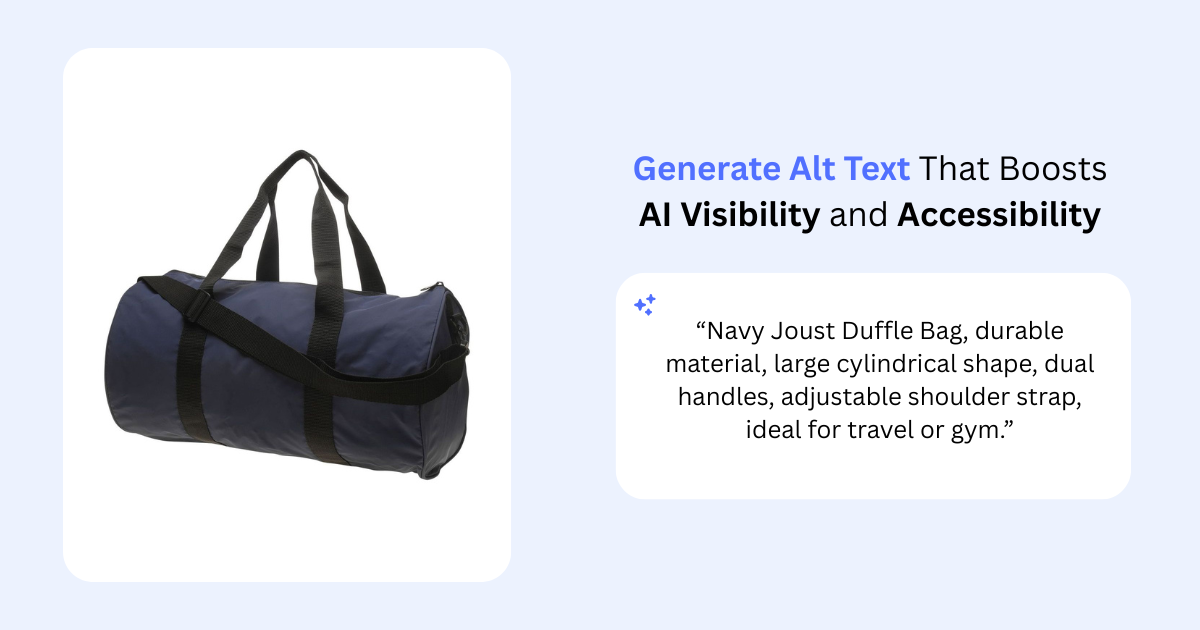
Managing large alt text libraries doesn't have to be overwhelming. AltReadable offers a smart, AI-driven solution designed to simplify the process while maintaining top-quality results. Let's take a closer look at how AltReadable's features can benefit businesses in the US.
Key Features of AltReadable
AltReadable uses advanced AI to create alt text that goes beyond basic image descriptions. It considers the context, surrounding content, and the purpose of each image, ensuring the descriptions are both accurate and meaningful.
One standout feature is its website-wide scanning tool, which analyzes your entire site. It flags images missing alt text or those with outdated descriptions. Whether you're managing a small website or a sprawling e-commerce platform, this feature ensures no image is left behind.
For businesses catering to diverse audiences, the platform offers multilingual support, generating alt text in multiple languages. This is especially useful for companies with bilingual or multilingual websites, ensuring consistency across all versions.
AltReadable integrates effortlessly with popular platforms like Magento, Shopify, and WooCommerce, allowing users to manage alt text directly within their existing systems. Plus, the REST API provides flexible options for custom integrations.
The platform also supports various image formats and offers both single and bulk uploads. These tools make it easy to handle large volumes of images, streamlining the entire alt text creation process.
Benefits for US Businesses
AltReadable is built to address the unique challenges US businesses face, particularly when balancing accessibility compliance with efficient operations. By generating descriptive alt text, the platform helps companies meet Americans with Disabilities Act (ADA) requirements, ensuring their websites are accessible to all users.
For businesses with large image libraries, the time savings are substantial. For example, a company managing 1,000 product images could spend weeks creating alt text manually. With AltReadable, the same task can be completed in just a few hours.
Additionally, the platform's Professional and Enterprise plans offer priority US-based support during business hours. This can be a game-changer for businesses tackling large-scale alt text projects, such as during website migrations or accessibility audits.
When to Use AltReadable
AltReadable is a perfect fit for scenarios where manual alt text creation becomes a bottleneck.
- E-commerce businesses: Retailers with extensive product catalogs, like fashion brands or electronics stores, can save countless hours by automating alt text creation. AltReadable ensures every product image gets a descriptive and consistent alt text without overwhelming your team.
- News websites and blogs: For platforms publishing multiple articles daily, AltReadable simplifies the process of generating alt text for images, infographics, and photo galleries - keeping accessibility standards intact even during tight deadlines.
- Corporate websites: Companies undergoing accessibility audits often discover hundreds of images lacking proper alt text. AltReadable's scanning tool identifies these gaps and offers bulk solutions, making compliance projects far more manageable.
- Marketing agencies: Agencies juggling multiple client websites can rely on AltReadable to deliver consistent quality across projects. It ensures that all sites meet accessibility standards without requiring every team member to become an alt text expert.
Not sure if it's the right fit? The 15-image free trial lets businesses test the platform's capabilities before committing to a subscription. It's an excellent way to evaluate the quality of the alt text and see how it integrates into your workflow.
Conclusion and Key Points
Writing effective alt text is a game-changer for making your website more inclusive while also boosting its SEO. The seven best practices we've discussed provide a strong starting point for crafting alt text that works well for both screen reader users and search engines.
Keep descriptions short and relevant. Focus on the essential details of each image, considering its role on the page. Avoid unnecessary information that doesn't add value. Remember, the type of image matters - a product photo needs a different approach than a decorative graphic or an informational chart.
Use keywords naturally, but always prioritize clarity for screen readers. This ensures your alt text enhances accessibility while also supporting SEO efforts.
As mentioned earlier, tools like AltReadable make this process simpler. Their AI-powered platform scans your site, generates accurate and context-specific alt text, and integrates seamlessly with platforms like Shopify, WooCommerce, and Magento. This streamlines alt text creation, saving time and effort.
Whether you're managing an e-commerce store with a large inventory, running a news site with frequent image uploads, or conducting an accessibility review for a corporate website, combining these best practices with smart tools like AltReadable can make a big difference. Plus, their 15-image free trial is a great way to see how AI-generated alt text can fit into your workflow.
FAQs
How can AI tools like AltReadable simplify creating alt text for large image collections?
AI tools such as AltReadable simplify the task of creating alt text by automatically generating detailed and descriptive text for images. This not only saves time - especially when managing extensive image collections - but also boosts both accessibility and SEO.
With support for more than 130 languages, AltReadable uses advanced language processing to craft alt text that caters to a wide range of audiences. Its time-saving approach allows content creators to dedicate their energy to other tasks, all while ensuring their images remain inclusive and optimized for every user.
What are some common mistakes to avoid when writing alt text to improve accessibility and SEO?
When crafting alt text, steer clear of these frequent pitfalls to keep it accessible and SEO-friendly:
- Being too vague: Skip generic labels like "image" or "photo." Instead, clearly describe what the image shows and its purpose.
- Stuffing keywords: Forcing in too many keywords makes the text clunky and less accessible. Stick to natural, relevant descriptions.
- Making it too long: Alt text should be concise but detailed enough to convey the image's meaning effectively.
- Repeating surrounding text: Avoid duplicating information already mentioned nearby. Alt text should provide additional context.
- Neglecting functional images: For icons or buttons, describe their purpose (e.g., "Search button" for a magnifying glass icon).
By avoiding these mistakes, you'll ensure your alt text improves accessibility and enhances the overall user experience.
Why should alt text be customized to match an image's role and purpose on a webpage?
When writing alt text, it's important to tailor it to the image's role and context on the page. Why? Because the same image can mean different things depending on where and how it's used. Customizing the description ensures that users - especially those using screen readers - can clearly understand the image's connection to the surrounding content.
By matching the alt text to the image's purpose - whether it's decorative, informational, or functional - you make the page more accessible and improve the overall user experience. Plus, well-crafted, context-specific alt text can also boost SEO by making descriptions more accurate and relevant.
Ready to Improve Your Website's Accessibility?
Generate professional alt text for your images with AI-powered tools that work for both screen readers and search engines.
Try AltReadable Free