
Alt text and image captions both describe images, but they serve different purposes. Alt text is hidden and provides descriptions for screen readers and search engines, making images accessible to visually impaired users and improving SEO. Captions, on the other hand, are visible text under images, offering context to all viewers and enhancing understanding of the image's role in the content.
Key Differences:
- Alt Text: Hidden, used by screen readers, aids accessibility and SEO.
- Captions: Visible, adds context for all users, connects visuals to content.
Quick Tip: Use alt text for describing the "what" of an image and captions for explaining the "why." Together, they create a more accessible and informative experience for everyone.
What is Alt Text?
Definition and Purpose
Alt text, or alternative text, is a hidden HTML attribute that provides a short description of an image. Think of it as a text-based explanation that steps in when an image isn't visible or understandable.
The main goal of alt text is to enhance accessibility. Screen readers use it to narrate what an image depicts, offering a verbal version of the visual content. Beyond accessibility, alt text also helps search engines "understand" images, allowing them to index and rank those visuals effectively.
Alt text proves useful when images fail to load, users turn off images to save data, or assistive technologies need descriptions to interpret visual elements.
How Alt Text Improves Accessibility
For individuals with visual impairments, alt text is a game changer. Screen readers like JAWS, NVDA, and VoiceOver depend on it to describe images, making websites more navigable and inclusive.
Good alt text goes beyond basic identification - it provides context. Instead of saying "woman at computer", a more effective description might be "marketing manager analyzing quarterly sales data on a laptop." This ensures users relying on screen readers gain the same level of understanding as those who can see the image.
The Web Content Accessibility Guidelines (WCAG) 2.1 emphasize the importance of alt text for informative images to improve accessibility. Additionally, clear and descriptive alt text can benefit users with cognitive challenges by offering an alternative way to grasp the content.
Alt Text and SEO Benefits
Search engines can't interpret images visually, so alt text acts as a guide, helping them understand what the image represents. For instance, Google's algorithm uses alt text as a factor in ranking images for both general web searches and image-specific results.
Well-written alt text can boost a website's visibility in Google Images and other search results, driving more traffic to the site. When the alt text aligns with the page's topic and includes relevant keywords (without overloading them), it reinforces the page's overall theme and strengthens its SEO.
Alt text also plays a role in featured snippets and rich results. If an image fails to load, descriptive alt text keeps users informed, maintaining their engagement and reducing bounce rates - key factors for a positive user experience.
Up next, we'll explore how image captions work alongside alt text to provide visible context.
What are Image Captions?
Definition and Purpose
Image captions are the visible text placed directly below an image, designed for everyone viewing the content. Unlike alt text, which is primarily hidden and serves accessibility purposes, captions are meant to be read by all users.
The main role of captions is to provide context that enhances the understanding of an image. They often include details not immediately obvious from the image itself or connect the visual to the surrounding text. For instance, captions might explain the significance of an image, add background details, or clarify how it ties into the main content.
How Captions Improve User Experience
Captions play a critical role in improving the user experience by offering clear and relevant context for visual content. This is especially important for complex visuals like charts, diagrams, or photographs that benefit from additional explanation.
Take, for example, a photo of a bustling street. The alt text might describe it as a "busy city intersection with pedestrians and traffic." A caption, however, could add more depth, such as: "Downtown Seattle during the morning rush hour, illustrating how new bike lanes have affected pedestrian traffic patterns."
By linking images to the surrounding content, captions create a seamless connection between visuals and text, making articles more cohesive and easier to follow. This is particularly useful for technical content, news stories, or educational materials where images help support specific points or arguments.
In addition, captions enhance readability. Readers can quickly scan them to grasp the relevance of an image without having to guess its connection to the main text.
Captions vs. Alt Text for Accessibility
Although captions can improve accessibility, they don't replace the need for alt text. Alt text remains essential for screen readers, as it describes what's visually present in an image - details that might not be included in a caption.
Captions, on the other hand, offer an extra layer of understanding by clarifying how an image relates to the surrounding content. Together, alt text and captions work hand in hand: alt text focuses on describing the "what" of an image for screen reader users, while captions provide the "why" for all viewers.
This combination ensures that images are fully understood, both visually and contextually, making content more inclusive and meaningful for everyone. These distinctions lay the groundwork for a deeper comparison of their roles.
The Alt Scene: When and How to Write Alternative Text
Generate AI-Optimized Alt Text Instantly
Create accessible, SEO-friendly, and AI-compatible alt text for your images. Upload images or scan websites to enhance discoverability and usability.
Start Generating Alt TextKey Differences Between Alt Text and Image Captions
Grasping the differences between alt text and image captions comes down to understanding their visibility and who they're meant for.
Side-by-Side Comparison Table
| Feature | Alt Text | Image Captions |
|---|---|---|
| Visibility | Hidden HTML attribute (not visible on the page) | Visible text on the page |
| Primary Audience | Screen reader users and search engines | All website visitors |
Alt text serves a specific purpose: it's crafted for screen readers and search engines, helping those who can't see the image or need it indexed. On the other hand, captions are for everyone who visits the site, providing visual users with added context about the image they're seeing.
When to Use Each
- Alt text: Add this to images that convey important information, ensuring screen readers and search engines can interpret the content.
- Captions: Use these when you want to provide extra context or details that enhance the understanding of the image for all viewers.
Each has its role, and using them correctly ensures your content is both accessible and informative.
Best Practices for Alt Text and Image Captions
Crafting effective alt text and captions requires different approaches to meet accessibility needs and improve user experience. Following established guidelines ensures your content is both inclusive and user-friendly.
Alt Text Best Practices
Alt text should be clear and concise. Since screen readers announce every word, aim for descriptions under 125 characters. Focus on the image's essential purpose rather than listing every detail.
Describe the image's function, not just its appearance. For example, if the image is a red "Buy Now" button, write "Buy Now button" instead of "red rectangular button." This helps users understand the action they can take.
Skip unnecessary phrases like "image of" or "picture showing." Screen readers already indicate that it's an image. Instead, go straight to the point: "Golden retriever playing fetch in a park" is more effective than "Image of a golden retriever playing fetch in a park."
Leave decorative images blank. If an image is purely aesthetic and doesn't add informational value, use empty alt text (alt=""). This prevents screen readers from interrupting the flow with irrelevant details.
Be precise with charts and graphs. Instead of generic descriptions like "sales chart", provide specifics: "Bar chart showing a 25% increase in quarterly sales from January to March 2025." This ensures screen reader users get meaningful insights.
Image Caption Best Practices
While alt text is essential for accessibility, captions offer additional context for all viewers. Write captions that add value beyond what the image shows. For instance, instead of just noting two people shaking hands, a caption like "CEO Maria Rodriguez and lead developer James Chen celebrate the successful launch of the new mobile app" provides richer context.
Make captions conversational and engaging. Unlike alt text, captions can include storytelling or personality to align with your content's tone. They should feel natural and inviting to read.
Avoid stating the obvious. If the image already shows a woman typing on a laptop, don't repeat that. Instead, add details that aren't immediately visible: "Remote worker Sarah participates in her daily standup meeting from her home office in Portland."
Provide relevant details that tie into your content. For example, if your article discusses productivity tools, a caption could say, "The new dashboard interface reduces task management time by 40% compared to the previous version."
Ensure captions are scannable. Many readers skim content by focusing on images and captions first. Write captions that stand alone, offering key insights even if readers skip the main text. This approach ensures images enhance both accessibility and SEO.
Using AltReadable for Alt Text Optimization
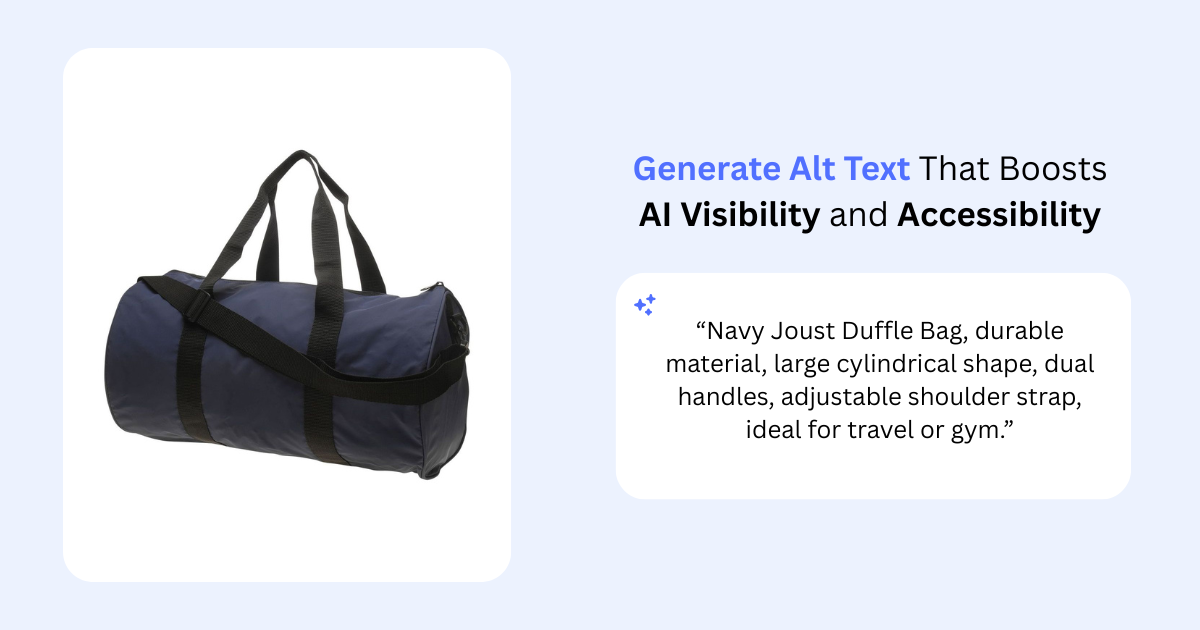
AltReadable offers an AI-powered solution to streamline alt text creation. It analyzes your images and generates context-aware, SEO-friendly alt text designed to meet accessibility standards.
With a website-wide scan, you can process multiple images in one go. This feature is especially useful for e-commerce sites, allowing you to generate consistent, high-quality descriptions for hundreds of product images in minutes.
The platform also supports multilingual alt text, making it easier to reach global audiences with accurate descriptions in multiple languages.
AltReadable offers a free trial for up to 15 images, with paid plans starting at $9/month for 200 images. For larger needs, API access integrates seamlessly into enterprise workflows.
Integration options with platforms like Shopify, WooCommerce, and Magento let you optimize alt text directly within your existing content management system. This eliminates manual uploads and ensures consistency across your digital assets.
Conclusion: Using Alt Text and Captions Together
Alt text and image captions work hand-in-hand to create websites that are accessible, engaging, and user-friendly. When used together, they not only meet accessibility guidelines but also help improve search engine rankings and enhance the overall user experience.
Alt text focuses on delivering essential descriptions of images, ensuring that visually impaired users and search engines can understand the core content of the visuals. Captions, on the other hand, provide additional context - explaining why the image is relevant and how it ties into the surrounding content. This combination ensures that all users, regardless of ability, can access the information they need.
To avoid redundancy, it's important to keep alt text and captions distinct. Alt text should stick to straightforward, objective descriptions, while captions can delve into commentary, offer insights, or connect the image to the broader narrative of your content. For example, in the case of charts or graphs, alt text might summarize the main takeaway, while captions can highlight specific data points or provide a more detailed explanation.
This approach not only enhances accessibility but also strengthens your SEO by layering context. Alt text helps search engines understand the image, while captions enrich the content for readers, making it more engaging and informative.
Websites that effectively use both alt text and captions show a commitment to inclusivity. Visually impaired users gain equal access to essential content, while all visitors benefit from the added clarity and depth that captions provide. This dual strategy ensures that your website is not only compliant with accessibility standards but also appealing to a broader audience.
Tools like AltReadable can simplify the process of creating consistent, high-quality alt text for your images. When paired with thoughtfully crafted captions, you'll have a powerful approach to making your website more accessible, discoverable, and engaging for everyone.
FAQs
How can I make sure my alt text and image captions work together without repeating information?
When working with alt text and captions, it's important to understand their unique purposes. Alt text is designed to describe an image's visual content for screen readers, ensuring accessibility for visually impaired users. On the other hand, captions are visible to everyone and provide extra context or details about the image.
If a caption already includes all the necessary information, you can simplify things by using a null alt attribute (e.g., alt=""). This prevents unnecessary repetition and keeps the content streamlined.
By clearly defining their roles, you can make your content more accessible and deliver a better experience for all users.
How can I write effective alt text for charts or graphs?
When crafting alt text for charts or graphs, aim to deliver a clear and concise description that captures the image's purpose and highlights key information. Begin by specifying the type of chart (like a bar chart or line graph) and summarizing the primary message or noticeable data trends it conveys.
For more intricate visuals, use the alt text to provide a quick overview, and then expand on the details in the surrounding text or through a linked resource. This approach ensures the alt text remains relevant, supports accessibility for screen reader users, and fits seamlessly within your content's context.
Why should I use both alt text and captions on my website, and how do they impact SEO and accessibility?
Using alt text and captions on your website is crucial because they each play a unique role in improving accessibility and user experience.
Alt text is specifically designed for screen readers, describing an image so visually impaired users can understand its content. It also helps search engines interpret your images, which can boost your site's visibility in search results.
Captions, on the other hand, are visible to everyone and provide extra context or explanation for an image. They make your content more engaging and help clarify the image's relevance within the page.
By combining alt text and captions, you create a website that's more inclusive and user-friendly while also enhancing its performance in search engines.
Ready to Improve Your Website's Accessibility?
Generate professional alt text for your images with AI-powered tools that work for both screen readers and search engines.
Try AltReadable Free